AOG Ops · Field operations app

Field operations, safety and compliance in one app your team will actually use.

The mobile-first ops platform built for civil, facilities, plant hire and onsite service contractors who need full visibility, defensible records and zero-friction field execution. Live on iOS and Android.

iOS 15.1+ and Android36.4 MB Live buildGDPR aligned
9:41
AOG Ops
JD
Good evening
John Doe
BishopsgateSynced 2 min ago
Check-in overdue
Patrol Bishopsgate
On session
12d 17:52:04
Next check-in
Due now
Not clocked in
No timesheet today
Clock in
Your work
2
Overdue
Needs action
4
Due today
3 inspections
3
Work orders
1 pending
8
Completed
This week
Home
Checks
Safety
Hours
Tap to explore the app
Live on App StoreNot a beta, in production
GDPR alignedAccount deletion built-in
Multi-tenantPer-organisation isolation
PostgreSQLOpen, exportable data
Tender-ready by design

Why AOG Ops wins evaluator scoring.

When a tendering body evaluates sub-contractor software, they look for specific signals. AOG Ops surfaces them by default.

Request the tender spec sheet
  1. 01

    Multi-tenant by design

    Each organisation's data is fully isolated. Sites, users, assets, inspections and reports never bleed between tenants. Critical for primes managing multiple sub-contractors.

  2. 02

    Role-based access control

    Granular roles: Member, Supervisor, Admin, Owner, Inspector, Client, Onsite Ops. Each with scoped permissions and screens.

  3. 03

    Full audit trail

    Every inspection, work order, issue, timesheet and clock event carries timestamps, user attribution and a timestamped, attributable audit history.

  4. 04

    Defensible PDF reports

    Branded, paginated, cover-page reports for every inspection, timesheet and incident, designed to support HSE, client and insurance evidence requirements.

  5. 05

    Production software, not promises

    Live on the Apple App Store and Google Play with over-the-air updates. Privacy information declared to Apple and Google. Built on PostgreSQL.

Pillar 01 · Inspections

Inspections that hold up under audit.

Build, schedule, execute and prove every inspection. Photo evidence, signatures and pass/fail scoring captured offline-friendly in the field.

Step 01 · Build

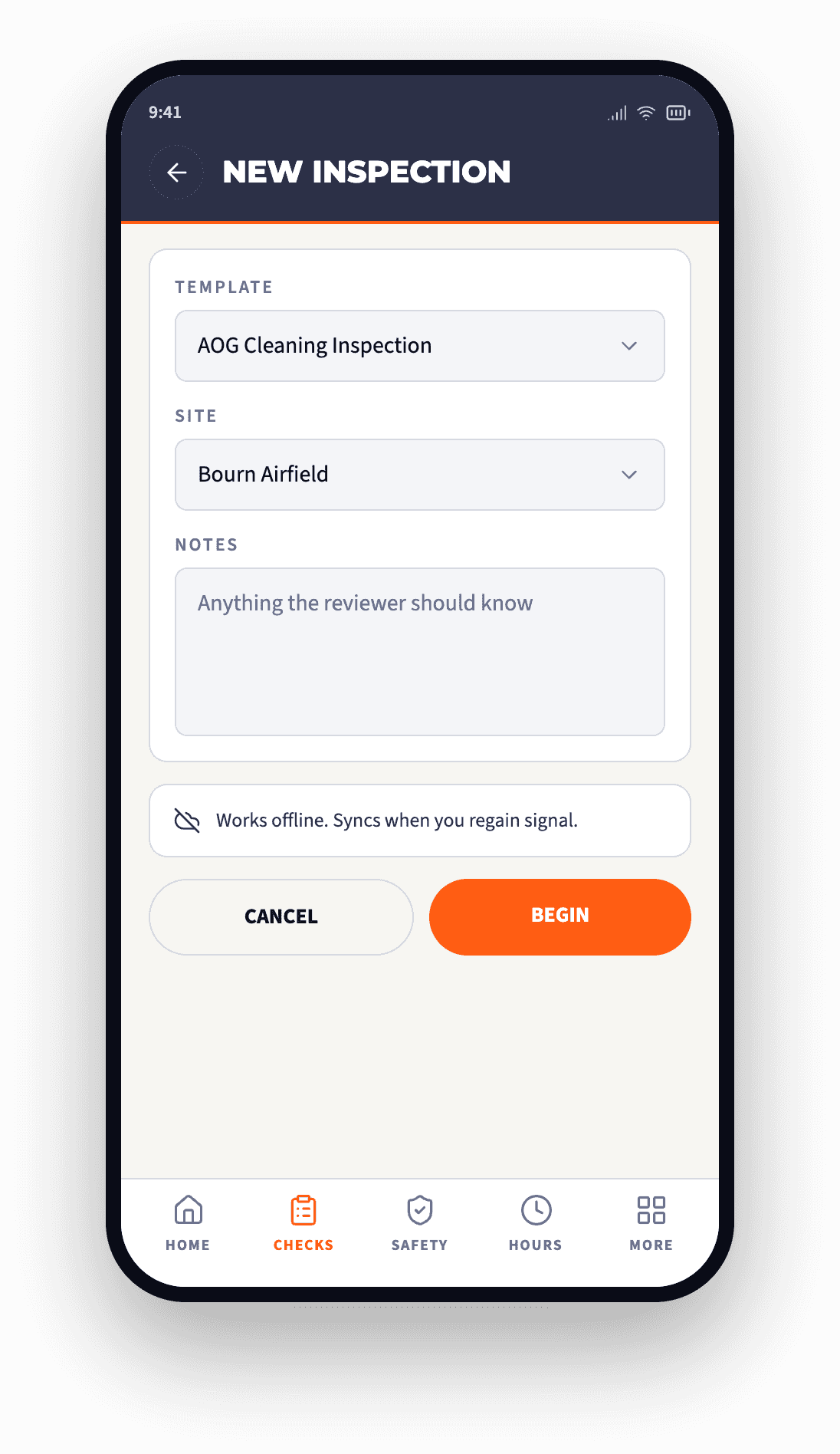
Custom inspection templates, built from a library of question types.

Admins build templates with yes/no, checkbox, rating (1 to 5), text, number, multi-choice, dropdown, date/time pickers, signature pad and photo capture.

  • Sections and scoring rules group questions, assign weights, set pass thresholds
  • Required-field validation blocks submission until mandatory items are answered
  • Reusable templates share across sites, copy and version
Audit-ready by design
AOG Ops new inspection screen, template and site selection
Step 02 · Capture

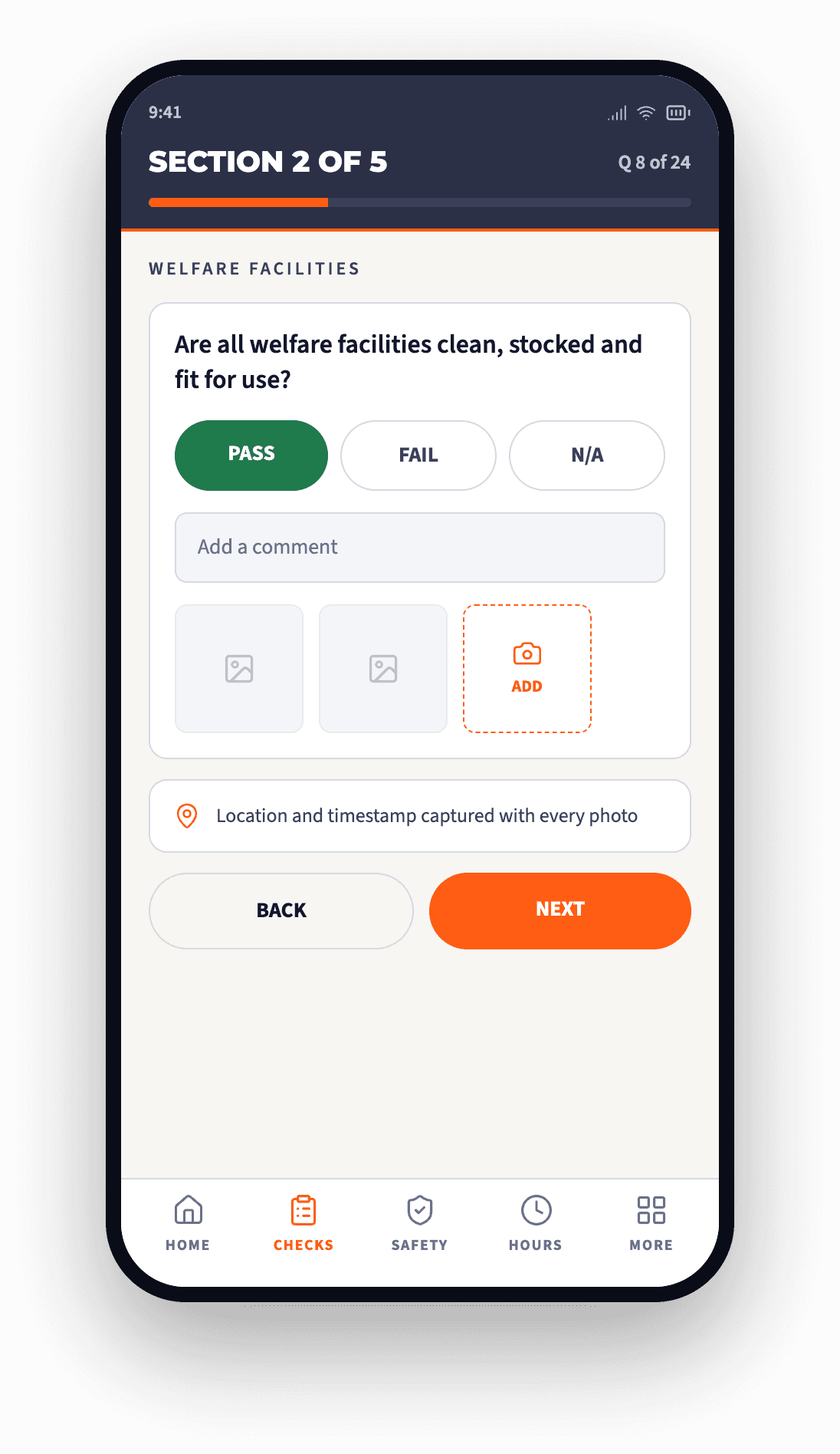
Photo evidence per question, captured in the field.

Inspectors capture or upload multiple photos against any inspection item. Photos upload to secure cloud storage and embed directly in the PDF report.

  • Draft saving lets a user leave and resume without losing work
  • Offline-friendly capture survives shaky 4G and signal dropouts
  • Per-question photos appear in-line in the final PDF report
Photo-backed evidence
AOG Ops inspection question with pass, fail and photo capture
Step 03 · Sign and deliver

Digital signatures and branded PDFs, every time.

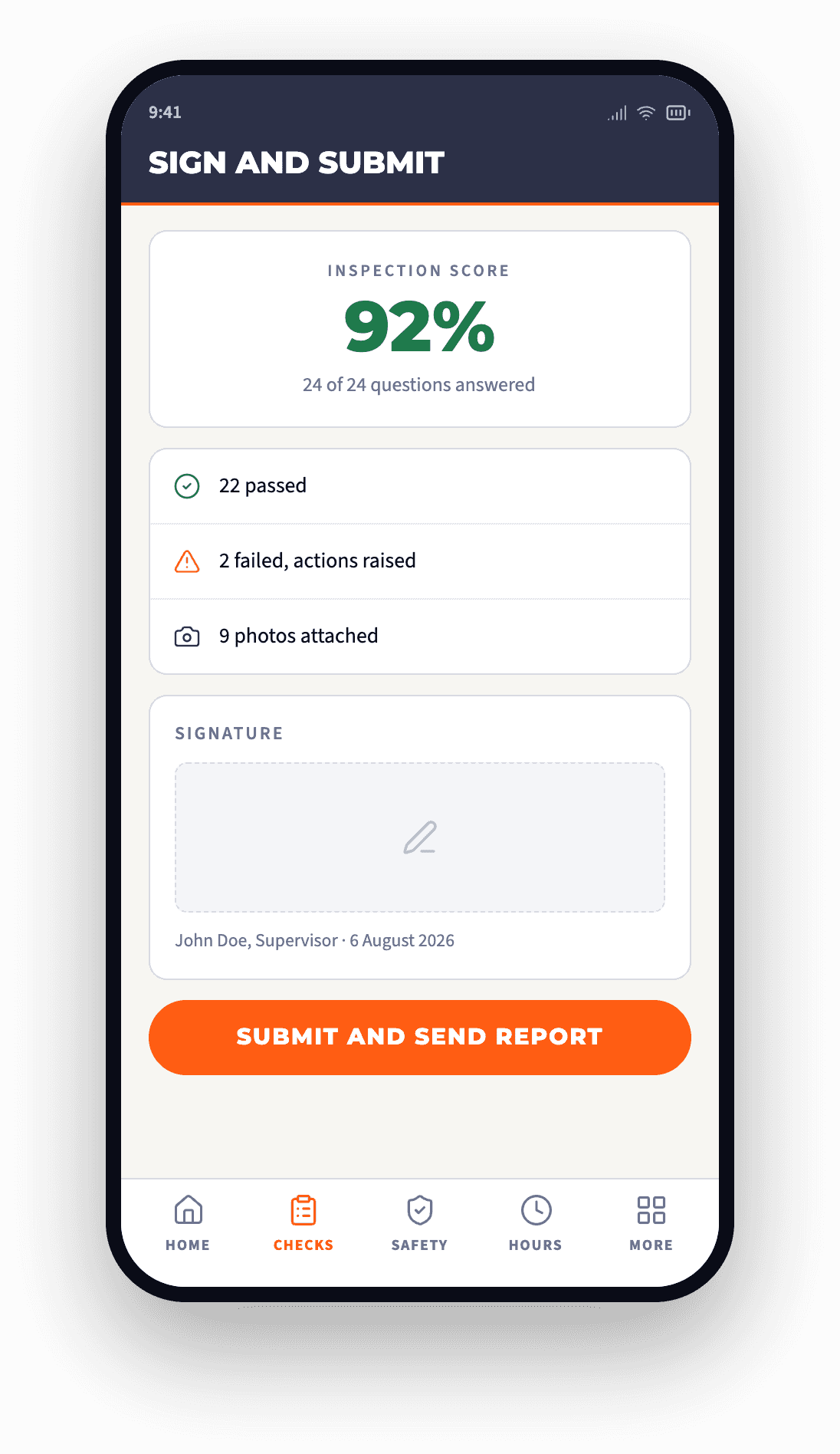
Signatures captured on-screen and embedded as vector graphics in the final report, sharp at any zoom. Reports are branded, paginated and customer-ready out of the box.

  • Vector signatures stay sharp at any zoom, with a timestamped, attributable record
  • Branded PDF cover page carries your logo and your scoring
  • Email or print direct from the device, no office round-trip
Defensible record
AOG Ops sign and submit screen with inspection score and signature
Pillar 02 · Work orders

One unified queue. Nothing falls through.

Every user sees a single, filterable list of what they owe today: inspections, work orders, issues. By type, by date, by priority.

Unified agenda

Every user owes inspections, work orders and issues in one filterable view. Today, this week, overdue.

Closed-loop reporting

Work orders

Assign, escalate and close out scheduled and ad-hoc work with priority and status tracking.

Auditable

Issue tracking

Raise, triage and resolve site issues with comments, activity timeline and PDF export for client reporting.

Defensible record

One-handed UX

Smart back-navigation and swipe gestures designed for field use with gloves. Built for the cab, the site, the dark.

Field-first
Pillar 03 · Lone worker

Active session monitoring with optional fall detection.

Workers start a session before high-risk tasks. Supervisors see who is active in real time. Every session is logged, every event is timestamped, supporting lone-worker procedures by recording sessions, check-ins, alerts and outcomes.

What this means for your tenderDemonstrable lone-worker policy compliance with a documented evidence trail. Directly answers the lone-worker clause in most HSE evaluation matrices.
Structured check-in and check-out
Workers open a session before high-risk tasks. Supervisors see who is active in real time on the ops desk.
Optional fall detection
Uses the device accelerometer to detect sudden impact events. Auto-escalates if no response.
Session history
Every session logged with duration, location where permitted, and outcome. Exportable as PDF evidence for HSE audits.
Emergency call shortcut
Global Speed Dial puts an emergency call one tap away from any screen.
6:14
Active session
Live
DP
D. Patel · Mobile patrol
Site B, Birmingham · started 05:48
Session duration
0d 00:26:12
Visible to the ops desk in real time
Next check-in
05:09
I am OK, check in
Fall detection
Location sharing
Session log
Session started
05:48
Check-in OK
05:58
Check-in OK, fall detection on
06:08
Emergency, call ops
The live app screen
Pillar 04 · Timesheets and clock-in

Tamper-resistant time records, with photo verification.

From clock-in to payroll, in one trail.

Verifiable hours-on-site evidence for client billing, payroll reconciliation and labour-hour claims.

  • Clock-in / clock-out timers per user, per site, with notes and photo capture.
  • PDF and CSV export ready for payroll per worker, per site, per pay period.
  • Geofenced site verification confirms the worker is on the named site at clock-in.
  • AI photo scanning for paper timesheets transitions older crews without friction.
What this means for your tenderClosed-loop hours-on-site evidence. Accepted in client billing, payroll audits and labour-hour claims.
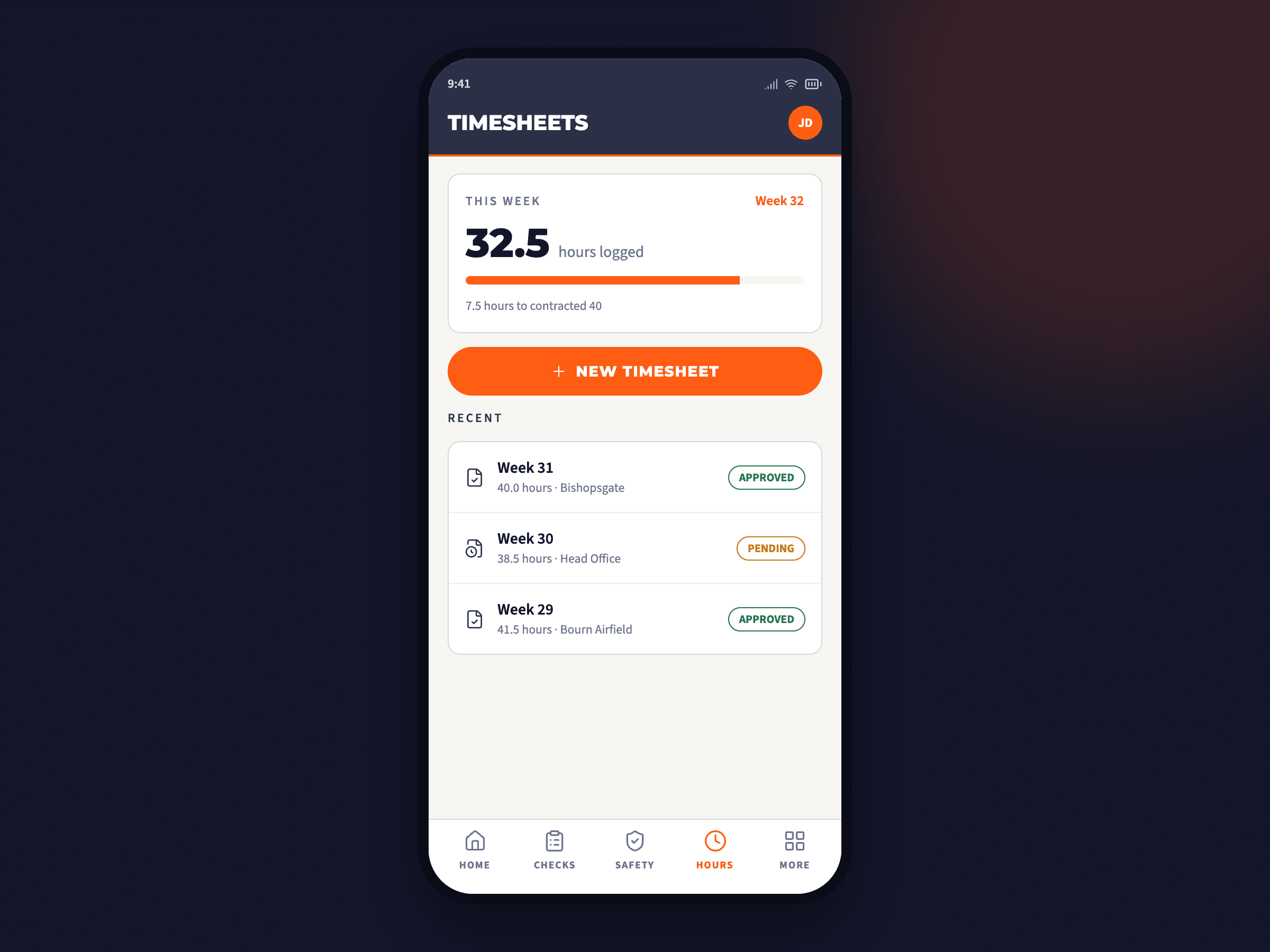
AOG Ops timesheets screen
Clock-in screen · live build
Pillar 05 · Assets and inventory

Every tool. Every consumable. Tracked to the user.

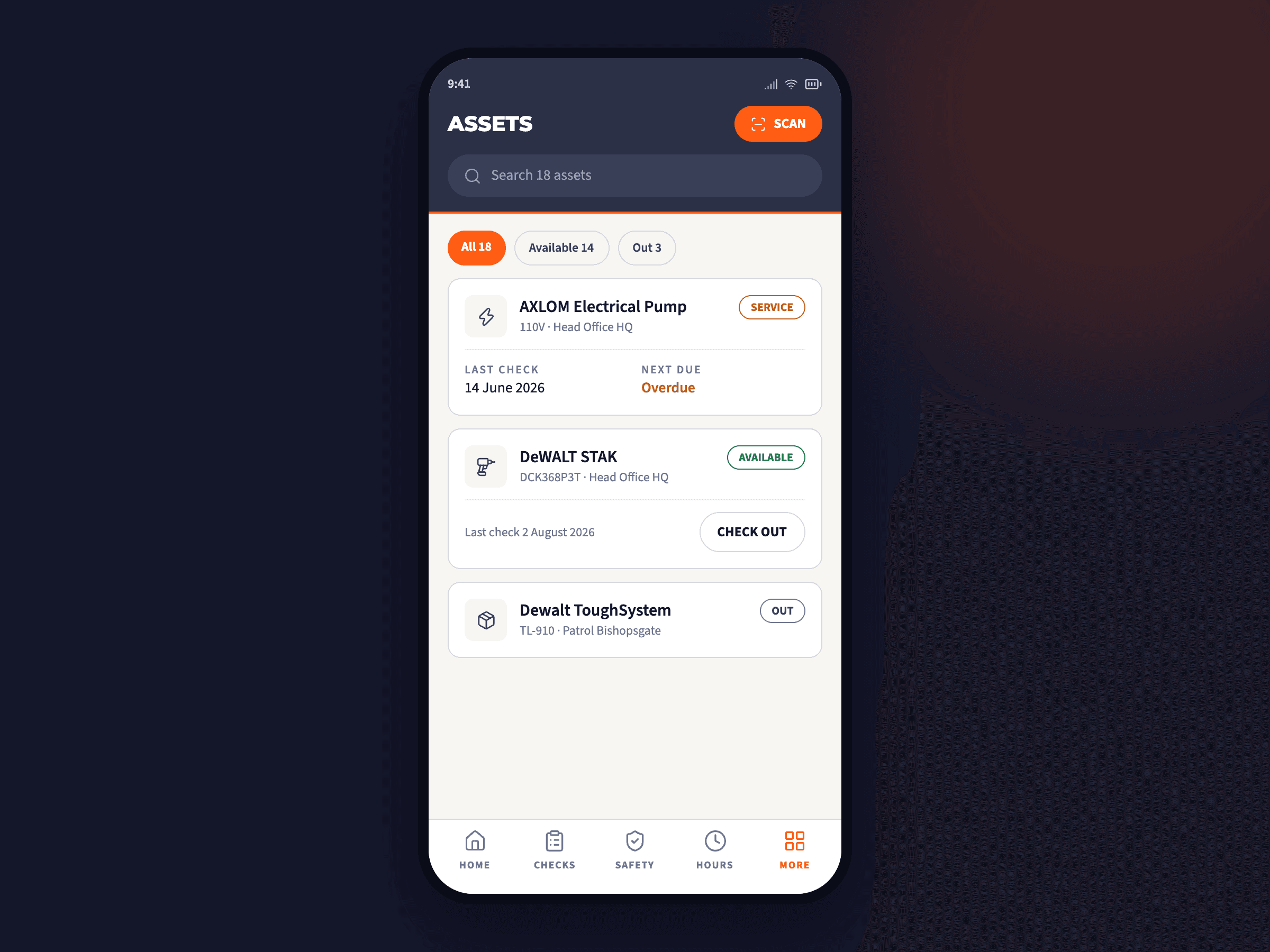
AOG Ops assets screen with barcode scan and check-out
Asset register · barcode scan

Know where every asset is. Prove its service history.

Plant, tooling and consumables tracked to individual user level. Supports asset depreciation, calibration regimes and insurance loss claims.

  • Asset register with CRUD — name, type, serial, photos, location, custody history.
  • Inspection history per asset — every check carried out attached to the asset record.
  • Checkout history — who has it, when issued, when returned.
  • Barcode scanning for fast lookup. Real-time updates across devices.
What this means for your tenderOne source of truth for plant and tooling. Defensible record for depreciation, calibration and insurance.
Pillar 06 · Reports and architecture

Branded PDFs. Multi-tenant by design.

Audit-ready out of the box. One licence, many tenants.

Every record exits the platform as a branded, paginated, audit-ready PDF. Each organisation's data is fully isolated.

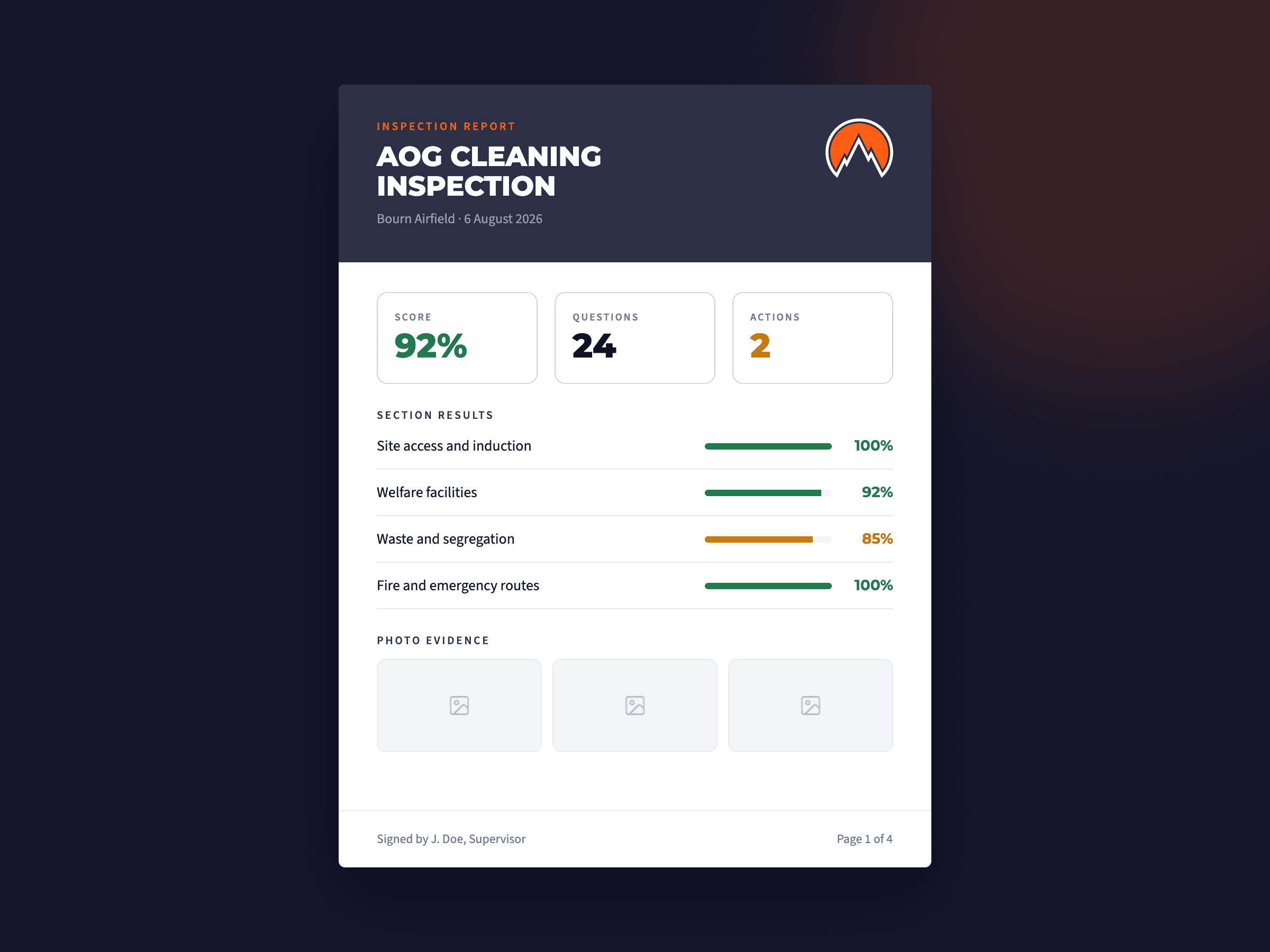
  • Unified report template — inspections, timesheets and issues all use one professional layout with cover page and organisation branding.
  • Organisation isolation — sites, users, assets, inspections never bleed between tenants.
  • Site-level role assignment — a user can be Supervisor on Site A, Inspector on Site B.
  • Client role — read-only access to a customer's own jobs, no exposure to other clients.
What this means for your tenderOne licence supports the prime, sub-contractors and end-client. Each with their own scoped view of the same job.
AOG Ops branded PDF inspection report preview
Branded PDF report · live preview
Built for

Crews who work in the field.

01

Civil and construction

Sub-contractors on tier-one builds running daily HSE checks, scaffold inspections and labour returns.

02

Facilities and maintenance

Hard and soft FM teams running planned and reactive work across multi-site portfolios.

03

Plant hire and asset rental

Asset registers, calibration records and checkout history per machine, per user, per site.

04

Cleaning and soft services

Daily attendance, room checks, deep-clean PDFs and tamper-resistant timesheets.

05

Utilities and telecoms

Lone-worker monitoring for field engineers in remote or single-occupancy work.

06

Event and venue ops

Pre-event walks, incident logs, post-event sign-offs with photo evidence and signatures.

Download and deploy

Live on iOS today. Android available.

Production software, available in the official stores, with over-the-air updates. Privacy information declared to Apple and Google. GDPR-aligned account deletion built in.

© 2026 Ascent Onsite Group Ltd · iOS 15.1+ · 36.4 MB · Business · 4+
Scan to download
on iOS
FAQ · For procurement officers

The questions your evaluators will ask.

Standards-based answers for the security, privacy and data due-diligence sections of most tenders.

AOG Ops runs on a standards-based PostgreSQL relational database. Hosting region is configurable per organisation deployment. Data export is built in. No proprietary data lock-in.
Yes. Every record (inspection, work order, timesheet, asset, photo, signature) is exportable as PDF and CSV. The underlying database is PostgreSQL, fully portable, fully inspectable.
Yes. Roles include Member, Supervisor, Admin, Owner, Inspector, Client, Onsite Ops. Each has scoped permissions and screens. A user can hold different roles on different sites.
Workers start a structured session before high-risk tasks. Supervisors see active sessions in real time. Optional fall detection uses the device accelerometer. Every session is logged with duration, location (where permitted) and outcome, exportable as PDF evidence.
Every inspection, work order, issue, timesheet and clock event carries timestamps, user attribution and a timestamped, attributable audit history. Reports include cover page, organisation branding, paginated content and detailed observations.
The app is offline-friendly. Inspectors can capture photos, fill questions and save drafts without connectivity. Sync happens when signal returns. No lost work, no double-entry.
Privacy information is declared to Apple and Google under their respective App Store guidelines. Every camera, photo library, microphone, motion and location permission has a plain-English purpose statement. No background tracking. Location captured only during explicit lone-worker sessions with consent. Account deletion built-in (Apple Guideline 5.1.1(v)). GDPR-aligned.

See AOG Ops in your workflow.

We will walk you through an inspection, a lone-worker session and a branded PDF, using a template configured to your sector. No prep required.